What This Project is All About?
Here, I did Web Security dynamic analysis using ZAP-CLI. The website that I analyzed here is OWASP Juice Shop which is a vulnerable Fullstack Web App.
Introduction to OWASP ZAP and ZAP-CLI
What is ZAP?
Zap (Zed Attack Proxy) is an open-source security tool designed to help find vulnerabilities in web applications. It works by simulating attacks on a website, much like a hacker would, to identify potential security weaknesses such as cross-site scripting or SQL injection. Zap does this through dynamic analysis, meaning it tests the running application in real-time, allowing developers to discover and fix security issues before the application is launched to users. It's widely used because it's free, easy to use, and effective for enhancing web application security.
 Zoom
Zoom
What is ZAP-CLI?
OWASP ZAP-CLI is a command-line interface for the OWASP Zed Attack Proxy (ZAP) tool. It allows users to interact with and automate the security testing features of ZAP directly from the command line. With ZAP-CLI, you can easily run security scans, manage ZAP's settings, and generate reports, all without needing to use the graphical interface. This makes it particularly useful for integrating ZAP into automated testing pipelines, such as those in continuous integration/continuous deployment (CI/CD) environments, helping developers maintain secure web applications efficiently.
Installing OWASP ZAP & ZAP-CLI
Installing Docker
Run the following docker-install.sh script that I custom created:
#!/usr/bin/env bash

sudo apt-get update -y
sudo apt-get install ca-certificates curl -y
sudo install -m 0755 -d /etc/apt/keyrings
sudo curl -fsSL https://download.docker.com/linux/ubuntu/gpg -o /etc/apt/keyrings/docker.asc
sudo chmod a+r /etc/apt/keyrings/docker.asc
echo \
"deb [arch=$(dpkg --print-architecture) signed-by=/etc/apt/keyrings/docker.asc] https://download.docker.com/linux/ubuntu \
$(. /etc/os-release && echo "$VERSION_CODENAME") stable" | \
sudo tee /etc/apt/sources.list.d/docker.list > /dev/null
sudo apt update -y
sudo apt install docker-ce docker-ce-cli containerd.io -y
Installing OWASP ZAP
Run the following zap-install.sh script that I custom created:
#!/usr/bin/env bash

wget https://github.com/zaproxy/zaproxy/releases/download/v2.15.0/ZAP_2_15_0_unix.sh
sudo apt-get install default-jre -y
sudo bash ZAP_2_15_0_unix.sh
Installing OWASP ZAP-CLI
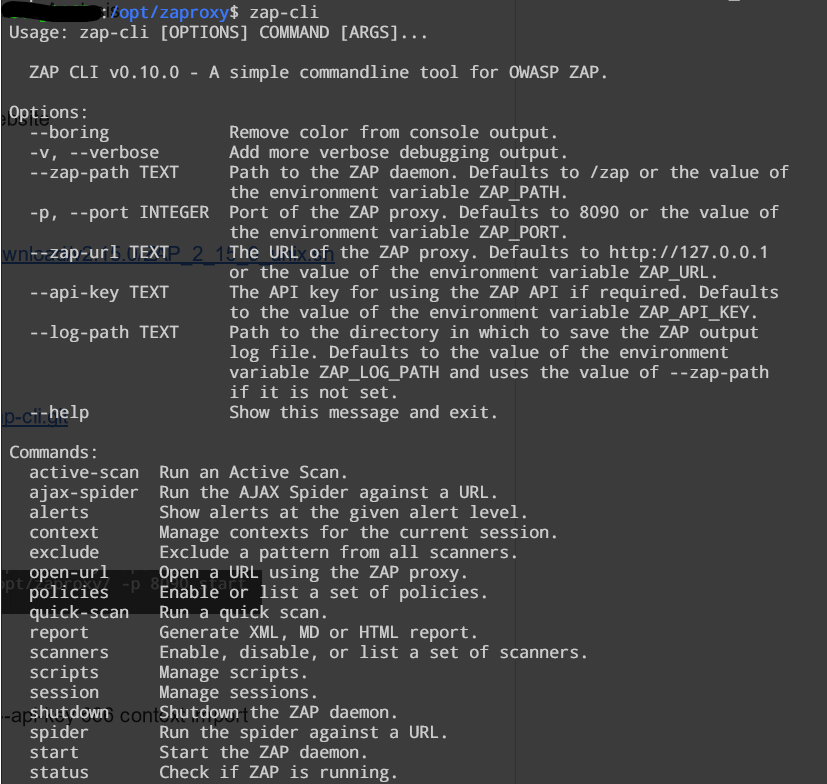
Run the following command: pip install --upgrade git+https://github.com/Grunny/zap-cli.git
 Zoom
Zoom
Start the daemon: sudo zap-cli --zap-path /opt/zaproxy/ -p 8090 start --start-options '-config api.key=666'
 Zoom
Zoom
Import context: sudo zap-cli --zap-path /opt/zaproxy -p 8090 --api-key 666 context import /home/benji/default.context
 Zoom
Zoom
Open URL: sudo zap-cli --zap-path /opt/zaproxy -p 8090 --api-key 666 open-url "http://localhost:3000/"
Run the spider: sudo zap-cli --zap-path /opt/zaproxy -p 8090 --api-key 666 spider "http://localhost:3000"
Run the active scan: sudo zap-cli --zap-path /opt/zaproxy -p 8090 --api-key 666 active-scan --recursive -c DevTest -u SomeUser "http://localhost"
Generate the report: sudo zap-cli --zap-path /opt/zaproxy -p 8090 --api-key 666 report -o ~/report.html -f html
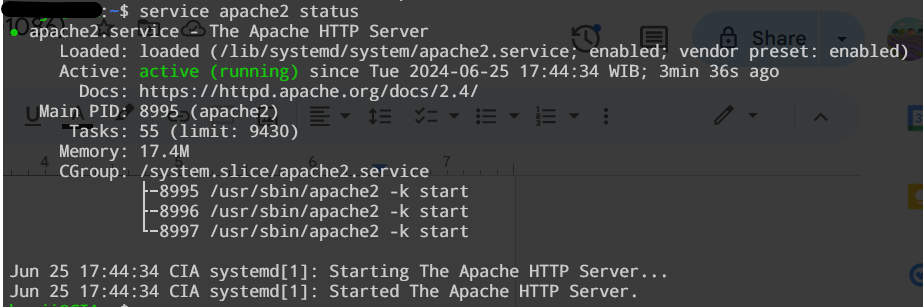
Install Apache2: sudo apt update && apt install apache2 -y
 Zoom
Zoom
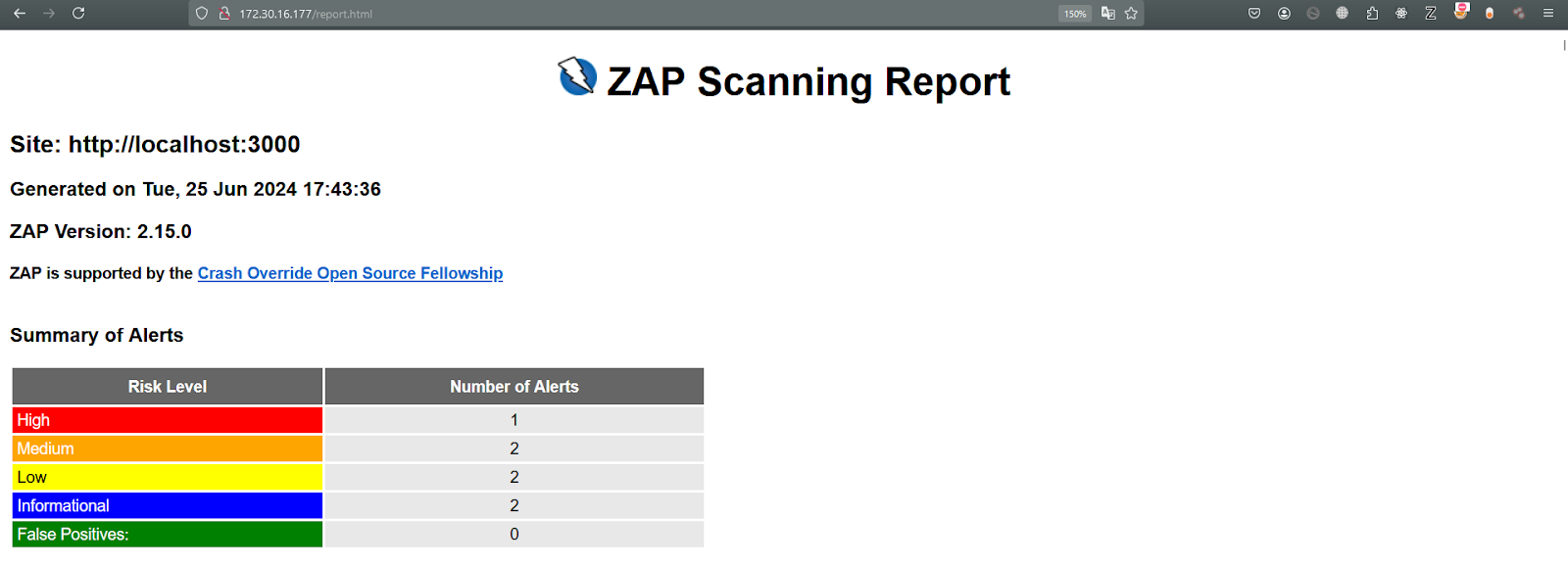
cp ~/report.html /var/www/html
Access http://<ubuntu_ip>/report.html
 Zoom
Zoom
Stop the daemon: sudo zap-cli --zap-path /opt/zaproxy -p 8090 --api-key 666 shutdown
Report
Here’s the full report: https://zap-dvwa-report-yehezkiel-5025201086.netlify.app/report.html
Here’s the full generated script: https://gist.github.com/bazoka-kaka/35d94790c6e263e1496553b0fd2ceab4
Short report about the report
 Zoom
Zoom
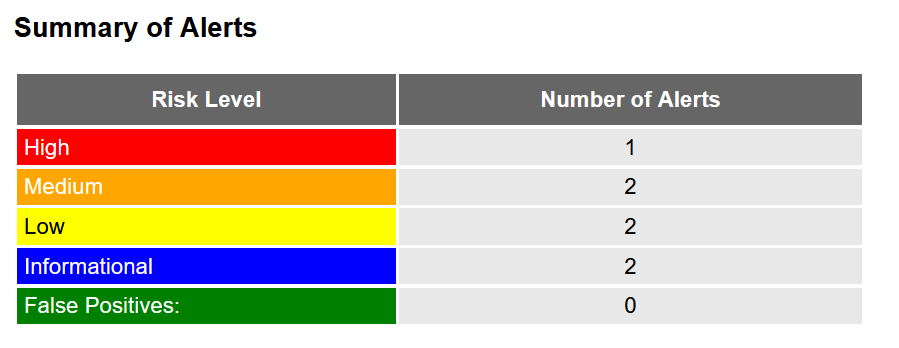
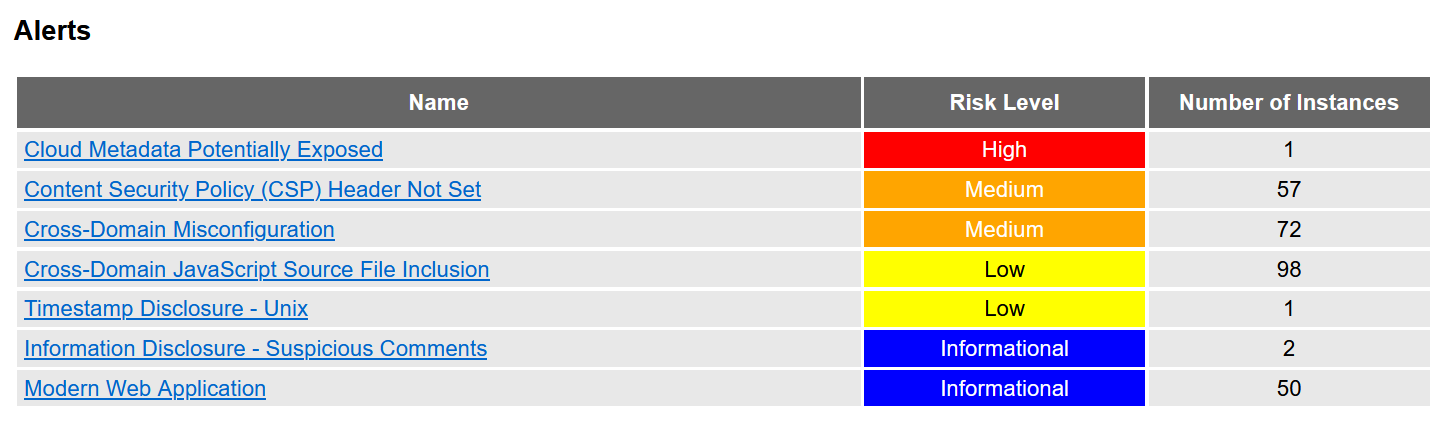
From the above image, we can see that OWASP Juice Shop contains at least 1 high, 2 medium, 2 low, and 2 informational alerts ticked off.
 Zoom
Zoom
From the above image, OWASP Juice Shop seems to contain 1 high risk level alert ticked off. We are going to now discuss about this high risk level alert.
Cloud Metadata Potentially Exposed
The Cloud Metadata Attack attempts to abuse a misconfigured NGINX server in order to access the instance metadata maintained by cloud service providers such as AWS, GCP and Azure.
All of these providers provide metadata via an internal unroutable IP address '169.254.169.254' - this can be exposed by incorrectly configured NGINX servers and accessed by using this IP address in the Host header field.
URL: http://localhost:3000/latest/meta-data/
Method: GET
Attack: 129.168.1.24
Description: Based on the successful response status code cloud metadata may have been returned in the response. Check the response data to see if any cloud metadata has been returned. The meta data returned can include information that would allow an attacker to completely compromise the system.
Solution: Do not trust any user data in NGINX configs. In this case it is probably the use of the $host variable which is set from the 'Host' header and can be controlled by an attacker.